
Lesson 2 — Capabilities, Limitations & the Human Element
Unit 1 | Lesson 2 of 4 Estimated time: ~30 minutes
By the end of this lesson, you will be able to:
- Identify the GenAI capabilities most relevant to workplace use
- Explain why hallucination is a structural property of LLMs, not a fixable bug
- Describe the human-in-the-loop principle and what it means for how you design processes
- Articulate why AI adoption affects people — not just systems — and what a responsible practitioner's response looks like
What GenAI is genuinely good at
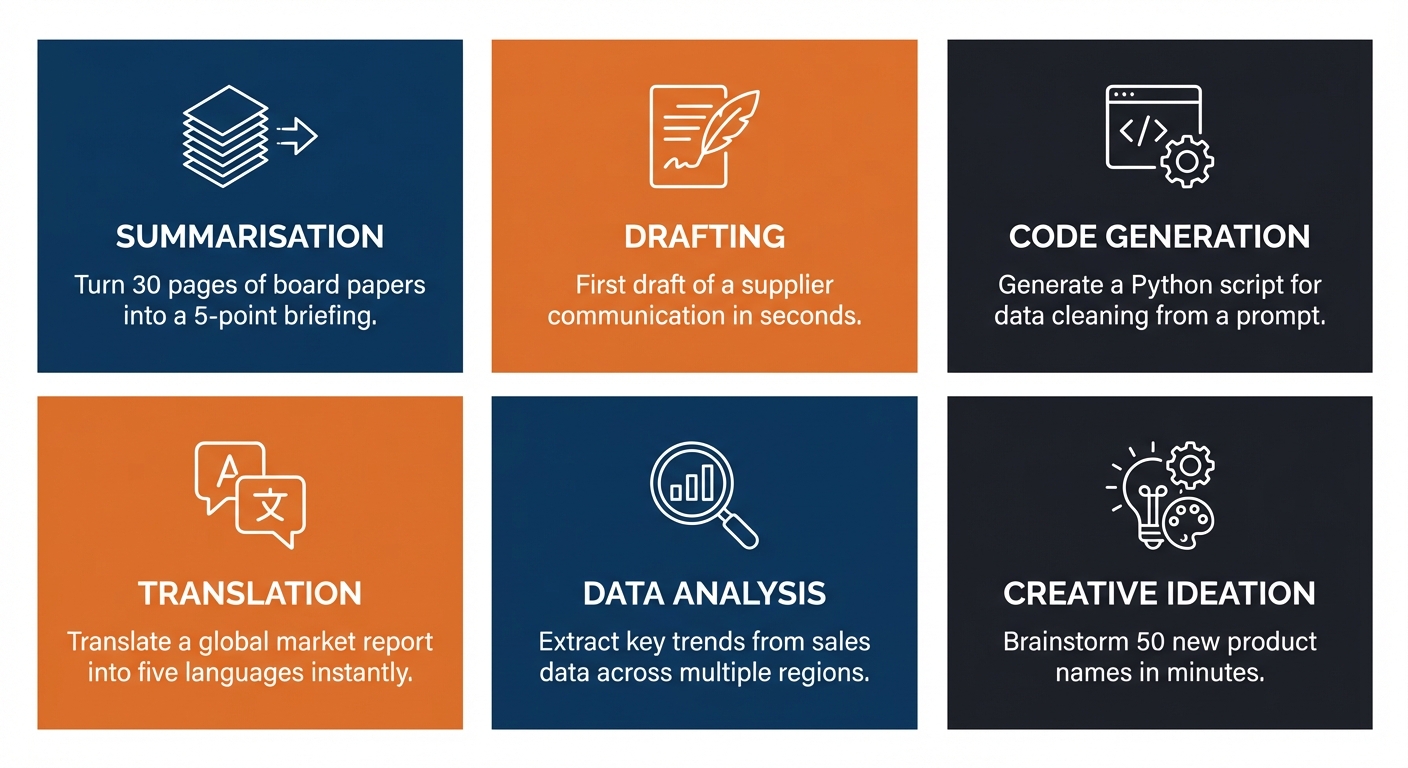
GenAI tools are not good at everything — but in workplace contexts, there are some tasks where they add genuine, significant value. These tend to share a common characteristic: they involve large amounts of language or text, where a good-enough first output has real worth even if it needs human refinement.
Summarisation is one of the highest-value applications in most organisations. Condensing a 40-page report, a long email thread, a set of meeting notes, or a policy document into a clear set of key points is something GenAI does remarkably well — saving hours across teams that deal with large volumes of written content.
Drafting covers a broad range of outputs: emails, internal updates, proposals, job descriptions, communications, standard responses. The critical word here is drafting — these are starting points, not finished products. A human still reads, edits, and takes responsibility for the final version.
Classification and categorisation — sorting items into categories without pre-defined rules for every case. Support tickets by topic, customer feedback by sentiment, documents by type. GenAI can handle the variation that would break traditional RPA.
Extraction — pulling specific information out of unstructured text. Names, dates, figures, action items from a meeting transcript, key clauses from a contract. Particularly useful where documents are inconsistently formatted.
Translation and plain-language conversion — converting technical language for non-specialist audiences, or translating between languages. Genuinely useful for organisations with diverse teams or international operations.
Question and answer — answering questions based on provided documents, particularly when combined with RAG (from Lesson 1) to reduce hallucination risk by grounding responses in specific, verified content.
Code generation — writing, explaining, and debugging code, including automation scripts and workflow logic. Increasingly useful even for non-developers who need simple scripts or want to understand what a piece of code does.
What GenAI is unreliable at — and why this matters
Understanding the limitations is not pessimism — it is the difference between a practitioner and an enthusiast.
Consistent arithmetic and logic. LLMs are language models, not calculators. They can appear to do maths while producing wrong answers. Any process that requires numerical precision needs independent validation — do not trust a GenAI model to calculate figures that will appear in a financial or compliance document without checking.
100% factual accuracy. This leads into the hallucination problem, which deserves its own section below.
Persistent memory. By default, most GenAI tools do not remember previous conversations. Each session starts fresh. Enterprise implementations with memory features exist, but do not assume them unless you have confirmed they are in place.
Consistent outputs. The same prompt can produce meaningfully different outputs on different occasions. This is by design — it is controlled by a setting called temperature — but it means you cannot treat GenAI output like a deterministic system that will always return the same result for the same input.
Deep contextual judgement. The model is not reasoning the way a human does. It is pattern-matching at enormous scale. It can appear to understand nuance while missing it in ways that are hard to predict — particularly in situations that involve organisational politics, interpersonal sensitivity, or domain-specific professional judgement.
The hallucination problem — in depth
Hallucination deserves more than a passing mention, because it is the most counterintuitive and consequential limitation in practice.
When a GenAI model hallucinates, it generates information that is factually incorrect — but presents it with the same confident, fluent tone as information that is correct. It does not flag uncertainty. It does not say "I'm not sure about this." It writes as if it knows.
This is not a bug. It is a property of how these models work. They are trained to produce plausible, coherent text — and plausible text is not the same as accurate text. The model has no ground truth to check against. It has learned what text that answers a question tends to look like, and it produces that.
⚠️ The critical point for practitioners
The danger is not that GenAI gets things wrong. The danger is that it gets things wrong confidently, with no signal that it is uncertain.
A junior colleague who makes an error will usually hesitate, or flag that they are not sure. A GenAI model will not. This is why human review is not optional — it is a structural design requirement for any process that uses GenAI output.
💬 Reflection
Think about a situation in your organisation where a confident but wrong answer — presented as if it were fact — could cause a real problem. It might be in compliance, customer communications, financial reporting, or something else entirely.
What would the consequences be? Who would catch it — and at what point in the process?
The human-in-the-loop principle
Throughout this programme, you will return to this principle again and again.
AI outputs require human review, and process design must account for this.
This is not just a safety precaution. It is a design responsibility. When you design or recommend an AI-enabled workflow, you are responsible for specifying:
- Who reviews the AI output before it is acted upon
- What they are checking for
- What happens when the output is wrong or uncertain
- How errors are caught and corrected, and by whom
📌 Key term — Human-in-the-loop (HITL): A design principle in which human review, approval, or correction is built into an AI-enabled process at defined points — rather than allowing the AI to act without oversight.
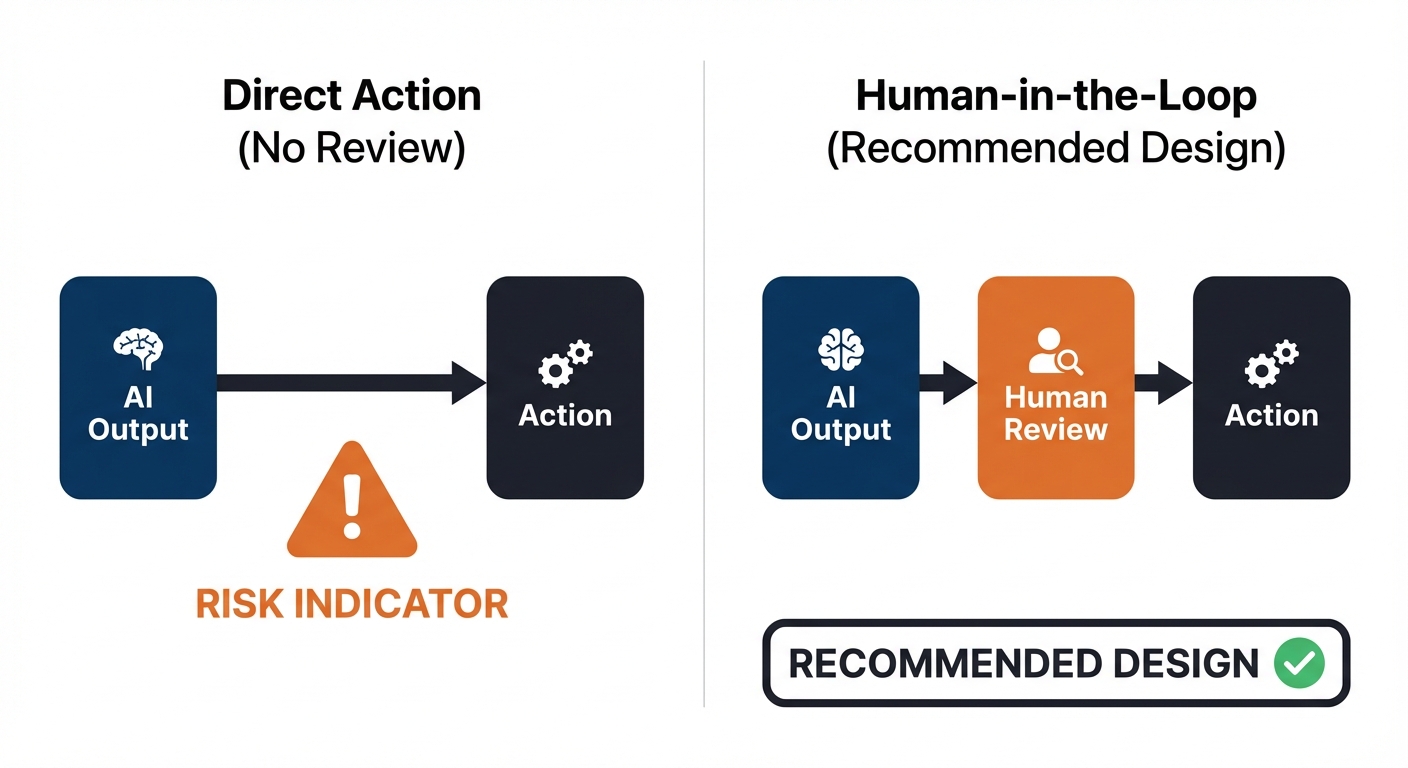
Designing out the human reviewer to save time is not a productivity improvement. It is a risk that has not been accounted for — and one that, when it surfaces, typically costs far more time and credibility than the review step would have taken.
AI adoption and its impact on people
AI adoption rarely fails because the technology does not work. It fails because of people.
Some colleagues will be enthusiastic early adopters. Others will feel anxious about what automation means for their role. Some will resist new tools out of reasonable scepticism about hype. Others will over-trust AI outputs without applying the critical review that is needed.
All of these responses are understandable — and all of them require a different approach from you as a practitioner.
On anxiety about job security: this is a reasonable concern that deserves a serious, honest response. AI automation does change some roles. Pretending otherwise damages trust. Your job is not to reassure people with promises you cannot keep — it is to be transparent about what the initiative does and does not affect, and to involve people in shaping how new workflows are designed wherever possible.
On over-trust: colleagues who accept AI outputs uncritically are as much of a risk as those who resist. Part of your role is building a realistic, calibrated understanding of what these tools can do — which is exactly what you are developing in this unit.
On the augmentation principle: throughout this programme, the goal is to design AI into processes in ways that make people more effective — not to remove people from processes as the primary aim. AI should amplify human capability. That is a better outcome ethically, and it is more sustainable organisationally.

📝 Activity 2 — Hands-On GenAI Exploration
Complete before your coaching session | Estimated time: 60 minutes
Using a GenAI tool approved by your employer, work through the four tasks below and record your findings in the Unit 1 Exploration Log (provided in your workbook).
Before you begin: Check your organisation's policy on approved tools. Do not paste sensitive, confidential, or personally identifiable information into any tool that is not explicitly approved for that data. If you are unsure which tool to use, confirm with your line manager or skills coach before starting.
Task A — Summarise
Take a document, email thread, or set of meeting notes from your workplace (appropriately anonymised). Ask the tool to summarise it.
Evaluate: what did it capture well? What did it miss or misrepresent?
Task B — Draft
Ask the tool to draft a short email or internal update relevant to your role.
Evaluate: how much editing was required to make it usable? What did you have to correct or add?
Task C — Test its limits
Ask the tool a question you already know the answer to — something specific to your industry, organisation, or role. Did it give a confident but wrong answer? Did it acknowledge uncertainty? Did it ask for more context?
Task D — Reflect
In two or three sentences: what is your working definition of GenAI after completing these tasks? What surprised you most?
Share your completed Exploration Log with your skills coach at least 24 hours before your next coaching session.
💬 Reflection
Where did the tool perform better than you expected — and where did it fall short? What does this tell you about where it might, and might not, add genuine value in your workplace?
⏭️ Up next — Lesson 3: Now we bring this into your organisation specifically. How does AI adoption typically happen? How do you interact effectively with a GenAI tool? And what does your organisation's current relationship with AI actually look like?